



When querying for samples, you can filter them according to the drillhole they are located in. You can select multiple drillholes and the query will return all the samples associated to them.

Note that using both the Samples and the Drillholes & wells filters together will return samples that fit both.
Previous tips can be found under the Software tip category in the News section and in the Archives section of our website.

Latest news

Generating exploration models from a detailed structural interpretation and Artificial Intelligence
This approach uses the comment field of the logging table to extract general topics that can then be used as learning features in a supervised machine learning classification approach.

3D drillhole design and monitoring in Geoscience ANALYST Pro v4.0 – Virtual Lecture
Jennifer shows the new and updated drillhole design and monitoring tools in Geoscience ANALYST 4.0...

New release – Geoscience INTEGRATOR 3.9
This version includes new functionality to provide a better user experience, such as: user notifications, new display options, and more!

Have you Scene this?
In GOCAD Mining Suite v19, you can save the view as a Scene by right-clicking on the 3D Viewer > (Scene) Save As…

Effective date field
Geoscience INTEGRATOR v3.7 offers the Effective date upload field for files and maps...

Editing file settings
In Geoscience INTEGRATOR version 3.4, users will be able to edit their files’ settings...
Why Is Mapping Important?
Capture geological observations quickly, safely, and accurately, both in the field and office with HiveMap...

Data set search tools
In Geoscience INTEGRATOR, you can search by data set name or description through the Data set search...

UBC-GIF or VP Suite inversion?
"The programs are complementary, and the combination gives one the ultimate flexibility in potential-field inversion,” says Kristofer Davis, Scientific Programmer at Mira Geoscience.

Linking viewports
In Geoscience ANALYST you can synchronize the perspective of all visible Viewports to zoom, pan, and rotate them all at once...

Machine learning in mineral exploration
We have applied machine learning as part of custom solutions to complex exploration and geotechnical problems since 2015...
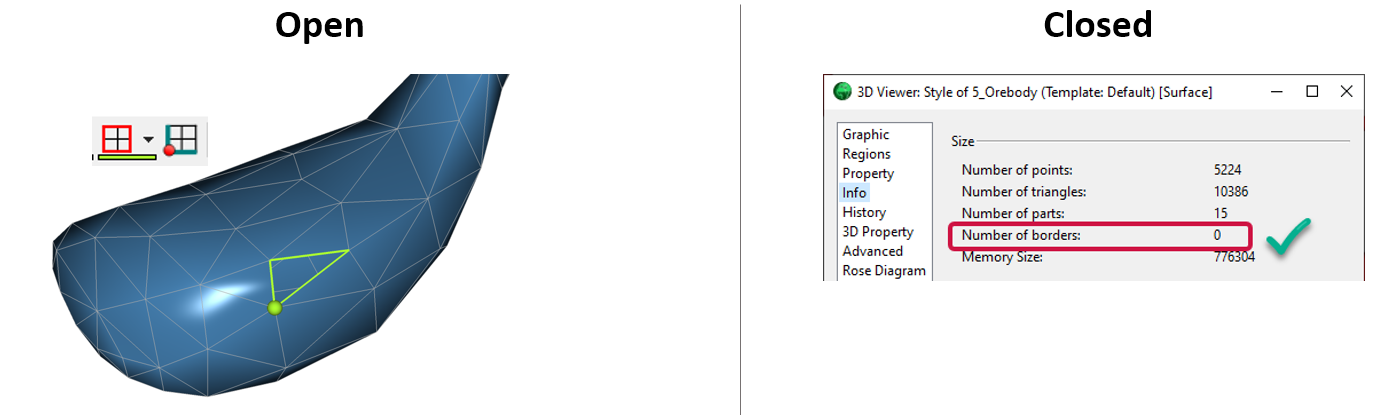
Is the surface opened or closed?
In GOCAD Mining Suite you can easily know if your surface is opened or closed by...