Scripting – Geoscience ANALYST Pro – Virtual Lecture
Past event. Have a look at the video to learn about mathematical and logical scripting in Geoscience ANALYST Pro...


This training material will give you the skills to leverage free and open-source software that has been made available by the community.
This resource is intended to geoscientists wanting to either automate some part of their workflow or to perform advanced analysis on their data. It is not meant to be a comprehensive Python resource – for which there are many excellent resources online.

The geoh5py library was created for the manipulation and storage of a wide range of geoscientific data (points, curve, surface, 2D and 3D grids) in the GEOH5 open format.
The contents of GEOH5 files can be displayed as tables, charts, documents, maps, cross-sections, and 3D visualizations in Geoscience ANALYST free 3D viewer.

This documentation contains training and tutorials on how to run standalone and joint inversions of geophysical data using SimPEG and the user-interface created for Geoscience ANALYST.

The applications are designed with a user-interface to be used in conjunction with Geoscience ANALYST and its geoh5 open storage format.

The Targeting Workflow is an innovative mineral exploration tool within Geoscience ANALYST Pro Geology. It empowers geologists with data science tools to identify potential mineralized areas, combining machine learning with geological insights to simplify prospectivity mapping.

Petro Lingo is a Python package designed to integrate Large Language Models with Geoscience ANALYST via geoh5py.
This package encompasses a variety of applications leveraging these models to generate outputs, along with additional tools that facilitate ease of use.

The SciGeoh5 package is an interface between machine learning libraries, such as scikit-learn or scipy, and Mira Geoscience’s geoh5py data storage package.
This package is designed with a user-interface to be used in conjunction with Geoscience ANALYST and its geoh5 open storage format.

The curve-apps have been developed for the detection of trends in geoscientific data in a semi-automated fashion. The applications are designed with a user-interface to be used in conjunction with Geoscience ANALYST and its geoh5 open storage format.

The grid-apps package has been developed as a user-interface for the creation and modification of grid objects and interaction with the discretize package. The result is exported directly to geoh5 format for visualization in Geoscience ANALYST.

The geoapps project was created by Mira Geoscience for the development of open-source geoscientific applications in Python.
Mirageoscience-app repository includes jupyter-notebook applications for geophysical data processing, modelling, and inversion codes.
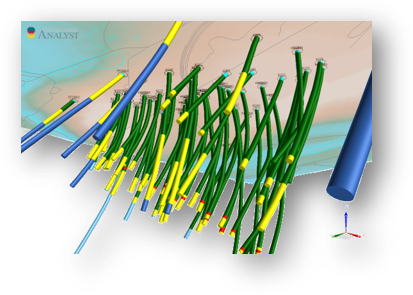
The LAS file format is a public file format for the exchange of well log data. The format includes a large header section followed by a block of depth indexed data columns. The irregular structure of the format poses a challenge for most text parsing tools. The goal of the las-geoh5 package is to leverage the existing lasio python package for reading and writing LAS files in order to convert in and out of the hdf5 format using geoh5py.
The Open Mining Format (OMF) supports interoperability with GEOH5 through a Mira Geoscience-maintained Python library that provides bidirectional conversion between the two formats. This enables the exchange of common geoscience objects—including points, curves, surfaces, and block models—along with associated numerical and categorical data, facilitating data sharing across mining and geoscience software ecosystems.