



The latest version of Geoscience ANALYST is now available for download!
Geoscience ANALYST 4.8 advances geoscience workflows with enhanced visualization capabilities, streamlined data analysis and processing, and deeper integration with SimPEG and other modern open-source tools.
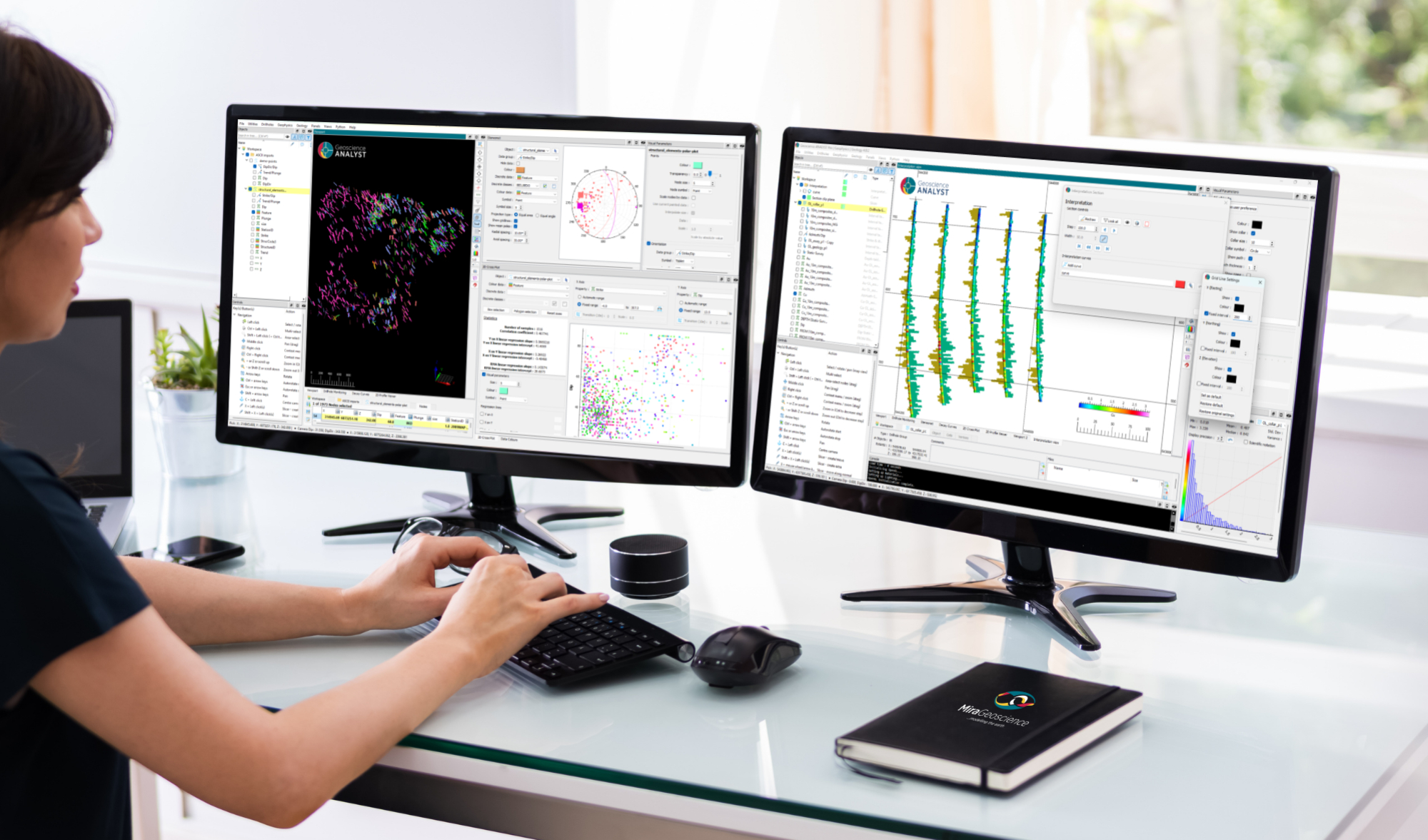
Improved Visualization and Data Analysis
This release delivers new visualization capabilities that make it easier to explore, analyze, and interpret complex geoscience datasets. Enhancements across data analysis and processing workflows help users work more efficiently and gain insights faster.
Expanded Open-Source Integration
Geoscience ANALYST 4.8 deepens integration with SimPEG and other open-source tools, providing greater flexibility for geophysical modelling, inversion, and data processing workflows. These improvements support more seamless interoperability between Geoscience ANALYST and the broader open-source geoscience ecosystem.
Enhanced Geological Interpretation and Modelling
New functionality for geological interpretation and modelling provides additional flexibility when building and refining geological models. These enhancements support more efficient workflows and help users adapt modelling approaches to a wider range of project requirements.
Key Highlights | What’s New in 4.8:
- Geoscience ANALYST 3D viewer: introduction of stereonet plots and multiple Viewport visualization enhancements, including new features that support cross-section interpretation workflows in the Pro Geology product option.
- Geoscience ANALYST Pro includes improvements to compositing, which can now be confined to one or more reference data classes.
- Geoscience ANALYST Pro Geophysics includes major advances in 1D, 2D, and 3D gridding and filtering, enhanced VP Suite capabilities, and improved integration with GemPy and SimPEG.
- Geoscience ANALYST Pro Geology continues to augment cross-section interpretation and geological modelling capability.
Additionally, Geoscience INTEGRATOR (Geoscience ANALYST’s cloud-based data management system) has deepened its integration with Geoscience ANALYST. Objects can now be saved directly to Geoscience INTEGRATOR from the Geoscience ANALYST interface. Learn more about Geoscience INTEGRATOR 4.3 in the recent release announcement.
Is this your first time using Geoscience ANALYST?
Be sure to have a look at the User Guide included in the ‘Help’ menu, visit our YouTube channel, or explore our website for additional information. You can also sign up for our email newsletter to stay abreast of new features and developments or join our community on LinkedIn to stay current with the latest news.
And remember that now you can access technical support directly from the Help menu in Geoscience ANALYST!
Please contact our team for additional information about our products and services
Latest news

3D drillhole design and monitoring in Geoscience ANALYST Pro v4.0 – Virtual Lecture

Customized list of file types to help filtering your files

Rock reclassification editor

Editing file settings

Peak finder – Geoscience ANALYST geoapps: Python application

Scripting
Why Is Mapping Important?

Show and hide

Scripting – Geoscience ANALYST Pro – Virtual Lecture

Behind the Scenes: A Technical Deep Dive – Chasing Innovation From the Ground Up

Upload global descriptions
