



Cloning an import template provides a ready-to-edit copy without having to build a new one from scratch. It speeds up the process and reduces errors.

Note that the access to this page is subject to roles and permissions.
Previous tips can be found under the Software tip category in the News section and in the Archives section of our website. Should you have any questions, do not hesitate to contact our support team.
Latest news
Copying drillholes in a grid pattern
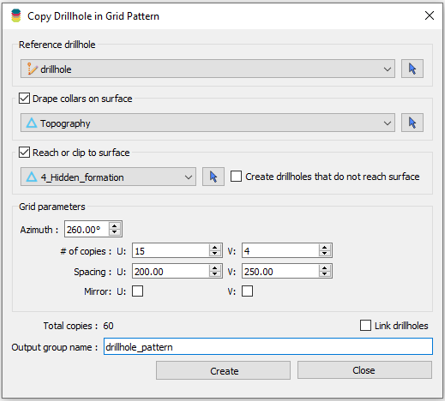
In Geoscience ANALYST you can copy an existing drillhole’s collar and deviation in a grid pattern to map a mineralized horizon...

New release – Geoscience ANALYST 4.7
Geoscience ANALYST 4.7 delivers a significant set of new tools and performance enhancements. Download it now!

Behind the Scenes: A Technical Deep Dive – Chasing Innovation From the Ground Up
Explore behind the scenes our case study with Canadian Royalties on this technical deep dive, featuring Stanislawa Hickley.

VPmg, VPem1D and VPutility release
VP Geophysics Suite releases: VPmg version 9.3, VPem1D version 4.3 and VPutility version 1.2...

Attending PDAC 2026?
Visit us at booth 814 to see our software solutions in action and discuss your needs with our expert team!

Arbitrary sections
In Geoscience ANALYST visualize your block model in any direction with the new arbitrary section

Q&A with Oleg Brovko, Senior Project Geophysicist at Geofocus
Join us in this exciting conversation with Oleg Brovko on harnessing Geoscience ANALYST and open-source technology for advanced geophysical solutions

View neighbourhoods in 3D
You can display your neighbourhoods in Geoscience INTEGRATOR 3D viewer, making it easier to understand spatial distribution of the data.

Getting started with the Python geoh5py
Past event, view here or via our YouTube channel...

Peak finder – Geoscience ANALYST geoapps: Python application
Past event. Link to recording available here.

Meet Polyanna Rowe, PhD
This release includes enhancements to several existing importers and exporters for extended interoperability, and more...

EM101: Tips and tricks for EM data in Geoscience ANALYST
In 20 minutes, James Reid show's you EM101 using Geoscience ANALYST Pro, a low-cost...