



When more than one Map or 3D Viewport is open, the activate Link Cursors  button appears. It helps to track the location of your cursor across multiple Viewports.
This tool is especially useful when positioning your mouse over an object in a Map Viewport. You will be able to easily find all the objects at that point in 3D.

Previous tips can be found under the Software tip category in our News page and in our Archives page. Join our Virtual Lecture series that showcases technological advancements and provides quick tutorials on Geoscience ANALYST features. More details about this series on our Events page or sign-up to the mailing list.
Latest news

VPmg, VPem1D and VPutility release
VP Geophysics Suite releases: VPmg version 9.3, VPem1D version 4.3 and VPutility version 1.2...

Scripting – Geoscience ANALYST Pro – Virtual Lecture
Past event. Have a look at the video to learn about mathematical and logical scripting in Geoscience ANALYST Pro...

Women Geoscientists in Canada
We are proud sponsors of WGC, advocates for increased gender balance within geosciences...
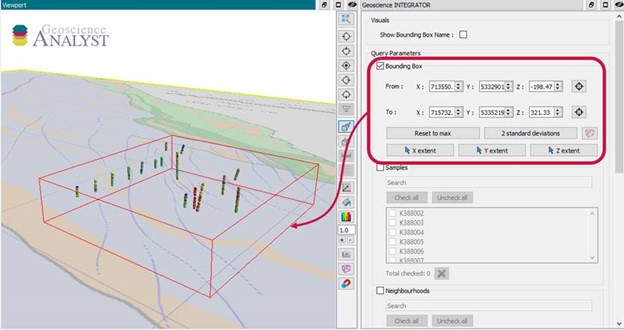
Automatic calculation of XYZ for drillhole sample location
In Geoscience INTEGRATOR, drillhole sample locations are automatically computed as XYZ by the system from the deviation surveys...

Data set search tools
In Geoscience INTEGRATOR, you can search by data set name or description through the Data set search...

No-data values on import templates
In Geoscience INTEGRATOR, you can prevent importing no-data value strings by providing a general NDV to be applied to all properties of the template...

New clustering application in geoapps
geoapps - Exploratory Data Analysis (EDA), rock classification generation, or map alteration footprints
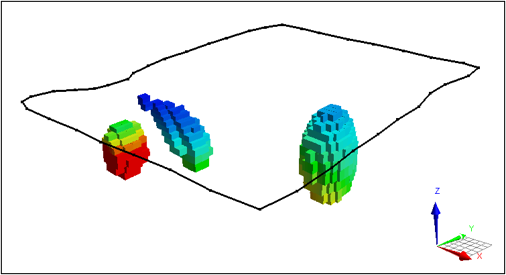
VPem3D in Geoscience ANALYST Pro Geophysics
Accelerating 3D TEM Interpretation with and without Geological Constraints. Read more >>

Let the data speak!
Four years ago, along with DMT Group, we started working with JSC Apatit on their Kirovski and Rasvumchorr mines that...