


You can easily import objects from one GOCAD project to another by going to File > Import > Objects from Project.
- When you select your GOCAD project from your browser, a list of that project’s objects will appear.
- Sort the columns to easily navigate through the list of objects and select which ones you want to import.
- In the Import Options, if you choose to Copy into project selected objects and all linked objects, it will also import linked objects, for example a geology log’s classification or the horizons used to build a model.

Previous tips can be found under the Software tip category in the News section and in the Archives section of our website.
Latest news

New raster imports
In Geoscience ANALYST you can now import GeoTIFF (tif, tiff), ERMapper (ers), and Surfer (grd)...
..
Automatic calculation of XYZ for drillhole sample location
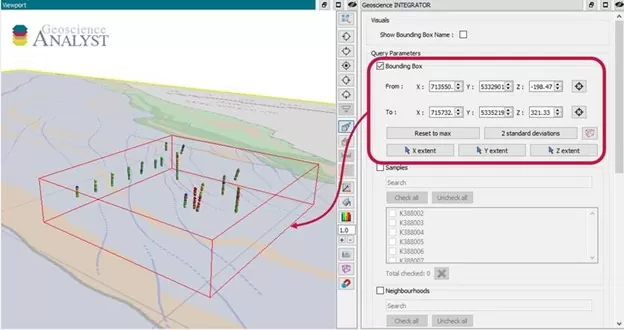
In Geoscience INTEGRATOR, drillhole sample locations are automatically computed as XYZ by the system from the deviation surveys...

Data fusion – Automatic sample compilation
In Geoscience INTEGRATOR, the Sample compilation page offers powerful tools to support the analysis of complex or difficult-to-view relationships within your sample data...

Imago drillhole imagery light table connection
In GOCAD, you can now connect to your Imago account by...

Customized list of file types to help filtering your files
In Geoscience INTEGRATOR, on top of using Tags and Data set linking, you can give them a File type from a customizable list...

Coordinate Reference System re-projection
This GOCAD command, found in the Tools menu of upcoming v17u3, transforms atomic objects, drillholes, and grid

Québec Mining 2024
Explore the full interview that Scott Napier did for Québec Mining 2024

ODBC drillhole import
In Geoscience ANALYST you can import drillholes straight from your ODBC database...

Case Study: Gold Fields Cave Rocks, Australia
An interactive approach to forward modelling and inversion. Exploration is becoming harder, with greater...

Create array property from scalar properties
This command, found in GOCAD's Property menu, creates a multi-dimensional array property from user-selected properties...

Improved data analysis
Analyze your data with enhanced histogram display options available in GOCAD Mining Suite v19...

Editing property’s colormap
In GOCAD Mining Suite, when you select a property its colormap can be edited...