



When you select a property, its colormap should appear in the Secondary Style toolbar. You can also access it by opening that property’s Style Editor.
Using the pencil, draw on the colormap to edit the property’s transparency. 

You can also use the following tips:
- Hold down the ALT key to keep a constant transparency.

- To create a binary (0% or 100%) transparency, use the CTRL key.

- To reset the transparency settings to none, click the middle mouse button.

Previous tips can be found under the Software tip category in the News section and in the Archives section of our website.
Latest news

Taskbar icons
In GOCAD Mining Suite, icons are added to the taskbar when you open windows such as another 3D Viewer or the 3D-GIS Query panel...

Footprints project public data repository available soon
Project-generated and previously public data, models, and documents from the NSERC-CMIC mineral exploration project, “Integrated Multi-Parameter Footprints of Ore Systems...

3D seismic data and survey designer tools
Coming soon to Geoscience ANALYST, tools for hard rock seismic...

HiveMap Digital Mapping Software
Safety is always the number one priority on every job and work site. Whether in underground, open pit, or civil engineering settings, our most important job is to make sure…

Coal industry solutions
Our coal solution provides users the simplicity of 2D grid modelling with the geological complexity of 3D volumetric surface modelling...

Visualize 3D vector properties
In GOCAD Mining Suite the normal of a surface is an example of a 3D vectorial property, where the components of the vector are...
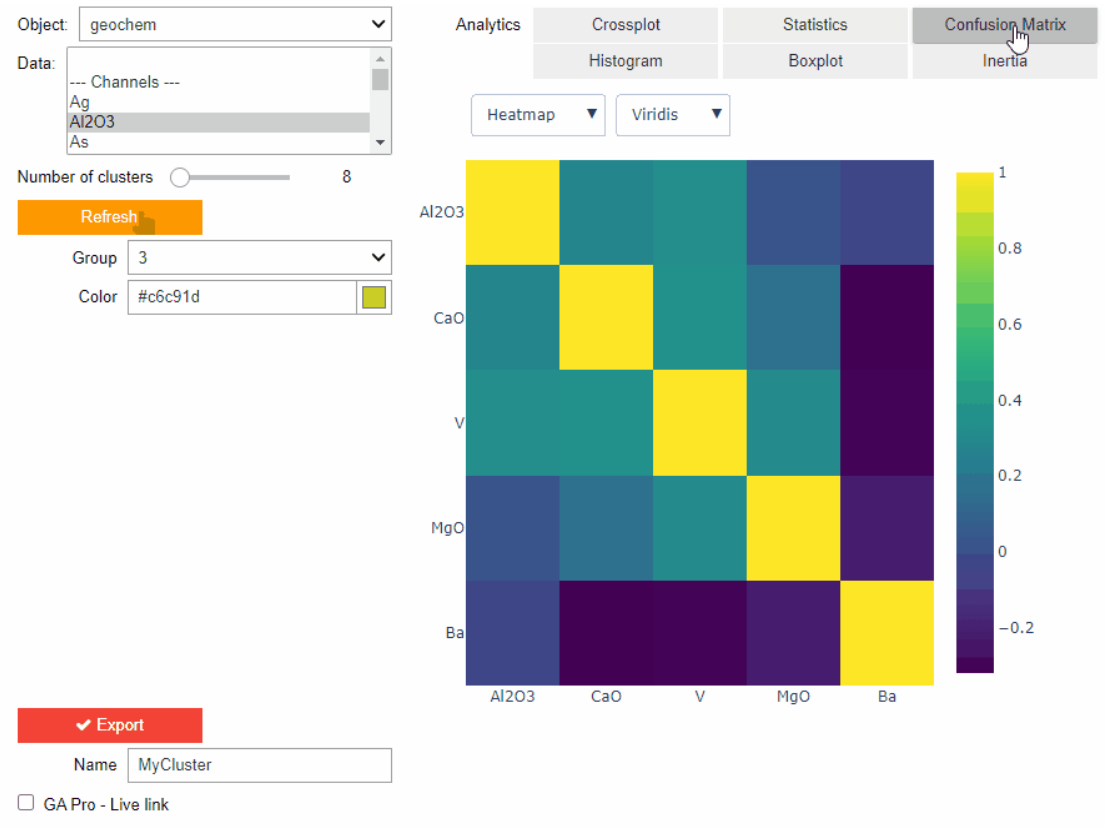
Clustering data stored on geoh5 objects
Past event. View here or on our YouTube channel...

Data fusion – Automatic sample compilation
In Geoscience INTEGRATOR, the Sample compilation page offers powerful tools to support the analysis of complex or difficult-to-view relationships within your sample data...
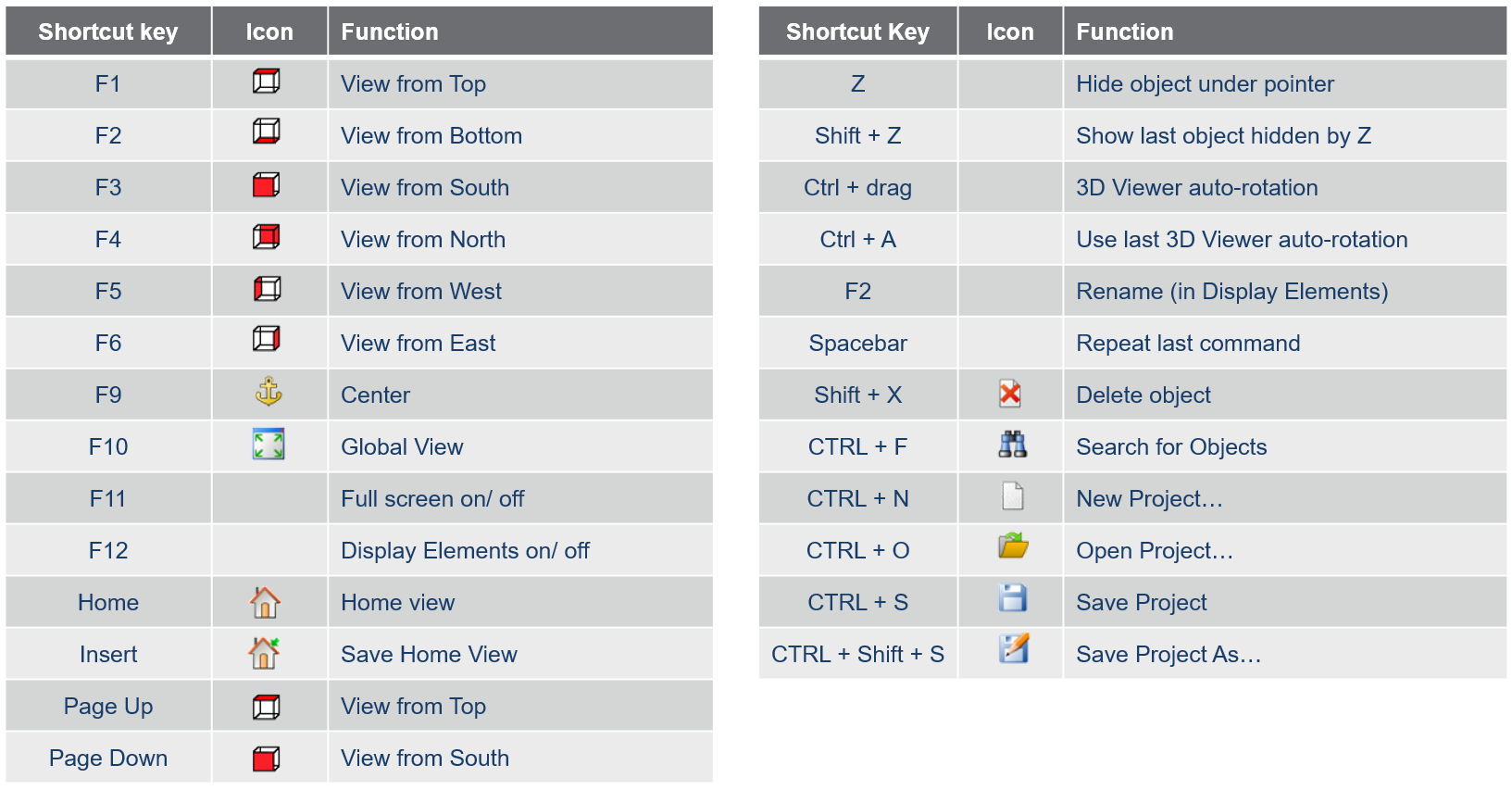
Using hot keys
Use hot keys in GOCAD Mining Suite to optimize your experience to help navigate the interface and execute commands more quickly and easily. Try them out!

Q&A with VR Resources
Join us in this exciting conversation with Michael Gunning on how to find success in blue-sky exploration through integrated interpretation of magnetic data and structural geology

Tagging query results
In Geoscience INTEGRATOR, this allows you to rapidly access that subset of objects. Instead of having to search and select multiple filters every time...

Coordinate display area
In Geoscience ANALYST you can get real-time feedback on the XYZ coordinates corresponding to the...
..