



Through the Data set search web browser page you can search by data set name or description. Through the viewer, you can search for data sets by defining a 3D search volume, metadata, name, or description.

Previous tips can be found under the Software tip category in our News section and in our Archives section.
Latest news

Manual classifications vs Project classifications
In Geoscience INTEGRATOR, There are two ways to create classifications when importing data...

Sneak peek v19
Emerson-Paradigm released a short video to help users become acquainted with the redesigned interface. Watch this short video ...

Display multiple objects
In GOCAD save time by displaying multiple objects at once. Simply hold down Ctrl or Shift to multi-select objects, then click on any of their...

Editing property transparency
In GOCAD Mining Suite, when you select a property its transparency can be edited...

Display multiple Voxet sections
In GOCAD Mining Suite, you can create additional sections, hide/show them, use the slider and arrow to position them along the Voxet, and delete them...

Tagging query results
In Geoscience INTEGRATOR, this allows you to rapidly access that subset of objects. Instead of having to search and select multiple filters every time...

Dynamically turn on/off classes in scatter plots
In Geoscience INTEGRATOR, you can turn on/off classes in scatter plots...

Improved scatter plots
In Geoscience INTEGRATOR, you can can increase/decrease the node size, take snapshots, zoom in on an area of interest...

3D seismic data
In Geoscience ANALYST you can import and visualize 3D seismic data, and plan your next seismic survey with the seismic reflection survey designer....
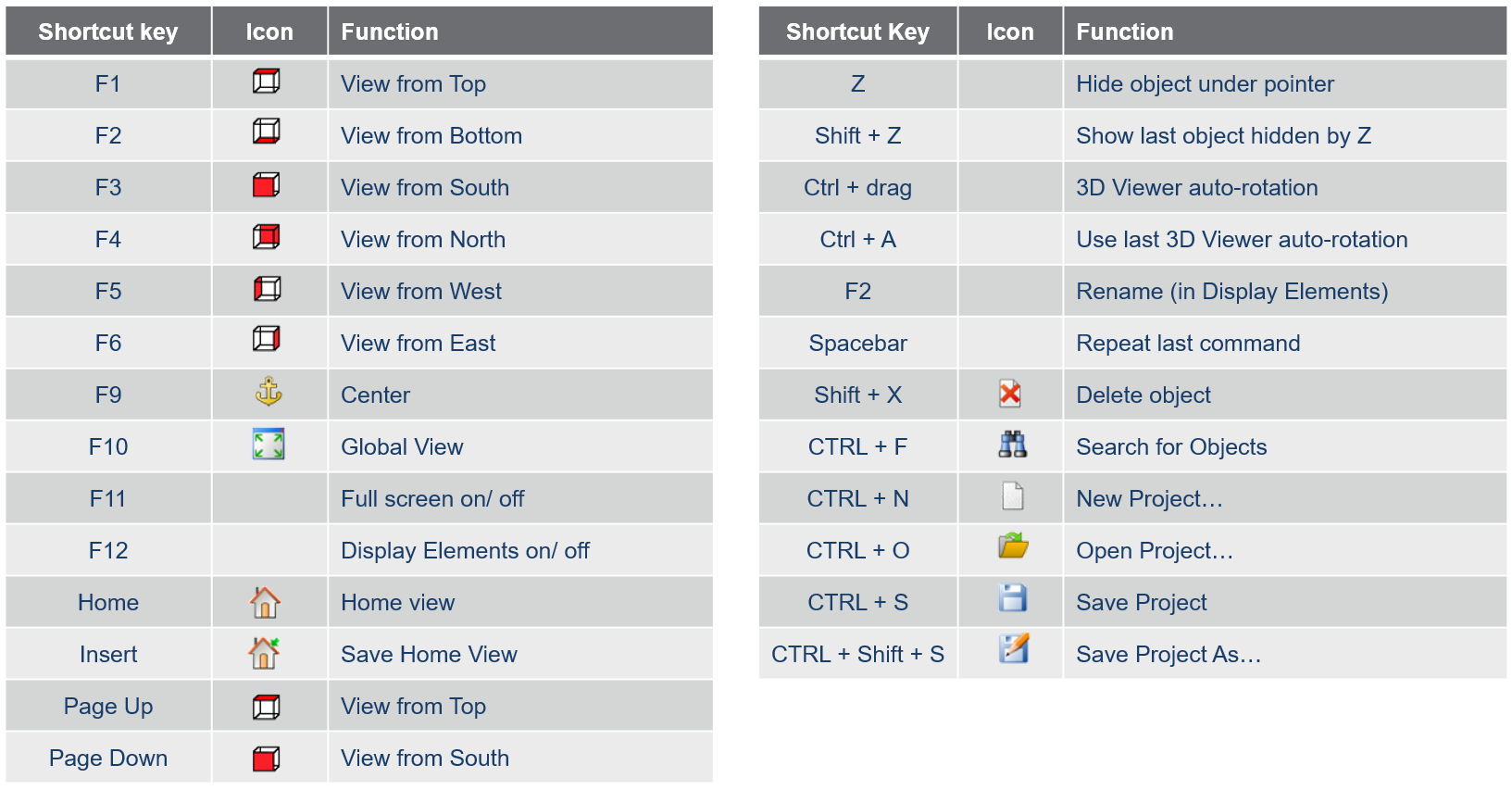
Using hot keys
Use hot keys in GOCAD Mining Suite to optimize your experience to help navigate the interface and execute commands more quickly and easily. Try them out!
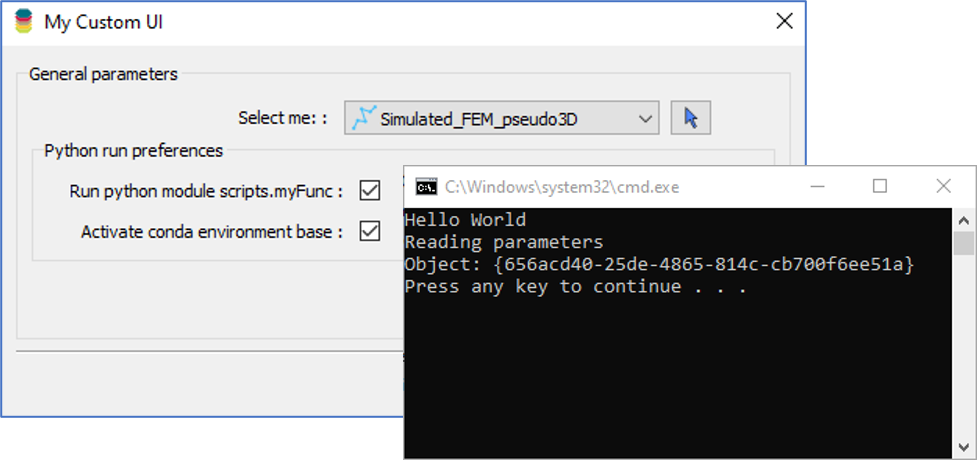
Using Python in Geoscience ANALYST Pro – Virtual Lecture
Past event, link available here...

Import geoh5 into GOCAD Mining Suite
Seamlessly go between GOCAD Mining Suite and Geoscience ANALYST...