



Press the CTRL key and the keyboard arrows to autorotate the Viewport. Press Esc or the arrow keys to stop autorotating. This functionality comes in handy when presenting your 3D geoscientific model and data.

Previous tips can be found under the Software tip category in our News page and in our Archives page. Join our Virtual Lecture series that showcases technological advancements and provides quick tutorials on Geoscience ANALYST features. More details about this series on our Events page or sign-up to the mailing list.
Latest news

Geoscience ANALYST Pro Geophysics Consortium
Today we are highlighting our new, industry-led, research consortium focused on delivering software and methods that make the use of advanced geophysics a day-to-day, practical reality for industry...

New geophysical tools in Geoscience ANALYST
Coming up later in 2019 is the launch of new geophysical tools. It includes a new interface for the industry-standard UBC-GIF forward modelling...

Q&A Mineral Resources Tasmania
The construction of plausible geological models. 3D interpretation and modelling process is of a cyclical nature...

Create array property from scalar properties
This command, found in GOCAD's Property menu, creates a multi-dimensional array property from user-selected properties...

Visualize 3D vector properties
In GOCAD Mining Suite the normal of a surface is an example of a 3D vectorial property, where the components of the vector are...

Advanced drillhole planning and monitoring
We partnered with Groupe MISA to develop a low-cost 3D application where all elements of drillhole design and monitoring...
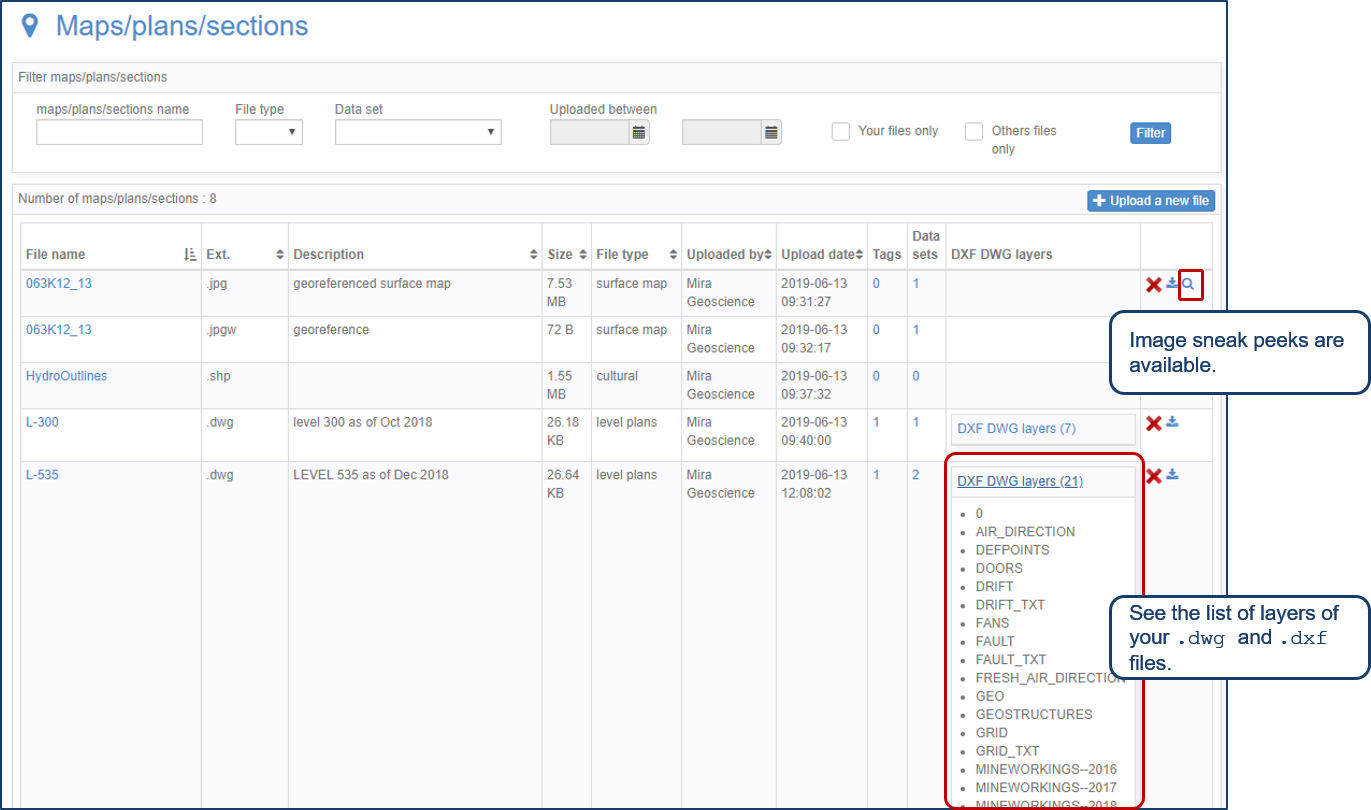
Preview files in the Maps/plans/sections page
See the list of layers of your .dwg and .dxf files. Image sneak peeks are also available...

Removing trend from data
In Geoscience ANALYST v3.0, you can remove regional trends to potential fields data...

GOCAD Mining Suite – A geological modelling powerhouse
Past event, recording link available here...

Extending workflows with rapid model generation – Virtual Lecture
Past event - Shaun O'Connor showed how to use the built-in scripting tools for exploratory geological modelling with sparse data...

Labelling
In Geoscience ANALYST, labels can be added to draw attention to a particular feature in the Viewport by...

Geological 3D-GIS query
In GOCAD Mining Suite, you can create points at specific geological contacts for the construction of your geological contact surface...