


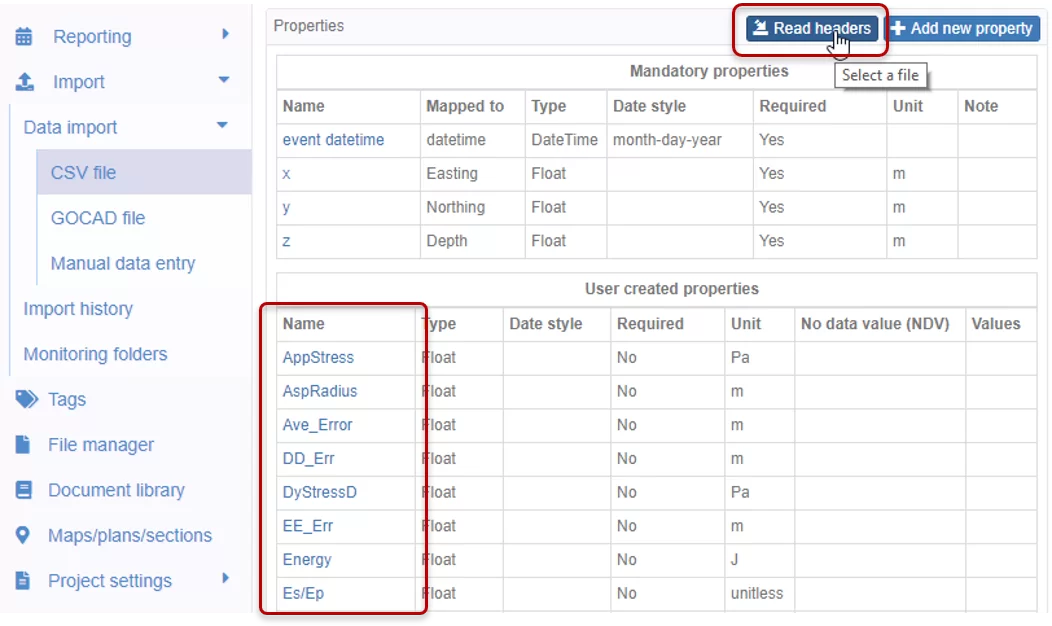
When preparing import templates, the User created properties need to match the CSV headers. You can use the Read headers button to extract the names from the CSV files and create new properties. It speeds up the process and reduces errors.
Note that the access to this page is subject to roles and permissions.
Previous tips can be found under the Software tip category in the News section and in the Archives section of our website. Should you have any questions, do not hesitate to contact our support team.
Latest news

Fourier filters
This new Geoscience ANALYST Pro feature allows you to apply Fourier filters on 2D grids using the basic geophysics tools...

2D map view
2D data can be viewed using the Panels menu > Add map view viewport. 3D data can be shown in the 2D view...

EM101: Tips and tricks for EM data in Geoscience ANALYST
In 20 minutes, James Reid show's you EM101 using Geoscience ANALYST Pro, a low-cost...

Québec Mining 2024
Explore the full interview that Scott Napier did for Québec Mining 2024

New release – Geoscience ANALYST 4.7
Geoscience ANALYST 4.7 delivers a significant set of new tools and performance enhancements. Download it now!

View neighbourhoods in 3D
You can display your neighbourhoods in Geoscience INTEGRATOR 3D viewer, making it easier to understand spatial distribution of the data.

Default data colour settings
In Geoscience ANALYST you can set a default colour table and colour mapping transformation function. This way, when you import or create new data, it will be coloured by default.

Operations on array properties
In GOCAD, this command, found in the Property menu, allows the user to perform various operations (scaling, DC shift...

Cloning import templates
In Geoscience INTEGRATOR, cloning an import template provides a ready-to-edit copy without having to build a new one from scratch...

How to run gravity inversions in a geologically driven way
Past event, view here or on our YouTube Channel to see how to run a 3D inversion and forward modelling in Geoscience ANALYST Pro using VPmg...
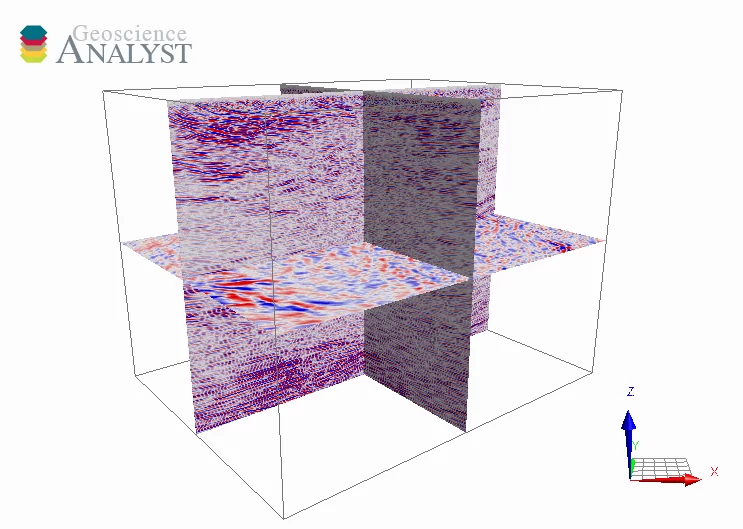
3D seismic data and survey designer tools
Coming soon to Geoscience ANALYST, tools for hard rock seismic...

Using Python with Geoscience ANALYST
A new Geoscience ANALYST Python API, providing the capability of connecting to open source software, is scheduled for release....