



The Data set explorer provides a simple, immediate ‘dashboard’ access to all the data sets and their summary information. Clicking on a data set summary box will provide additional info as well as access to explore deeper using filtering and charting tools.

Previous tips can be found under the Software tip category in the News section and in the Archives section of our website.
Latest news

Geological 3D-GIS query
In GOCAD Mining Suite, you can create points at specific geological contacts for the construction of your geological contact surface...

New raster imports
In Geoscience ANALYST you can now import GeoTIFF (tif, tiff), ERMapper (ers), and Surfer (grd)...
..
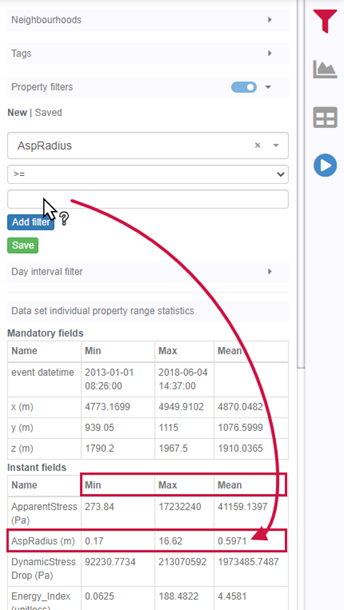
Property value range
In Geoscience INTEGRATOR, You can refer to the range of values in the query panel to apply numeric property filters...

Automatic rotation
In Geoscience ANALYST you can autorotate viewport when presenting your 3D geoscientific data and models...

Georeference images
In Geoscience ANALYST Pro you can georeference your geology maps and cross sections with...

Easily display a property on multiple objects
In GOCAD Mining Suite objects are grouped by the properties they contain...

New geophysical tools in Geoscience ANALYST
Coming up later in 2019 is the launch of new geophysical tools. It includes a new interface for the industry-standard UBC-GIF forward modelling...

Plotting drillhole data
While pencil crayons are still a vital part of geology, Geoscience ANALYST lets you get all your data into 3D in a convenient shareable format...

Customize the Viewport axis labels
In Geoscience ANALYST you can customize the Viewport axis labels
..

Using comment field entries in drillhole databases to automatically re-log lithologies
This approach uses the comment field of the logging table to extract general topics that can then be used as learning features in a supervised machine learning classification approach.
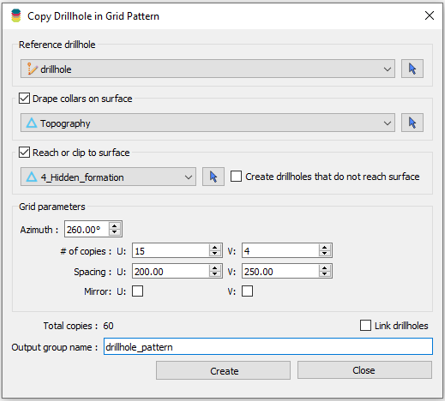
Copying drillholes in a grid pattern
In Geoscience ANALYST you can copy an existing drillhole’s collar and deviation in a grid pattern to map a mineralized horizon...

What’s new in Geoscience ANALYST version 4.0 – Virtual Lecture
Watch as Carla shows the new and updated tools in Geoscience ANALYST 4.0...